GLOBAL TRADING. MOBILE + WEB.
Global markets.One trading app.
Stocks, futures, options and crypto. On your phone. On your desk.
Connect eligible broker and exchange accounts in one familiar workspace.
GLOBAL TRADING. MOBILE + WEB.
Stocks, futures, options and crypto. On your phone. On your desk.
Connect eligible broker and exchange accounts in one familiar workspace.
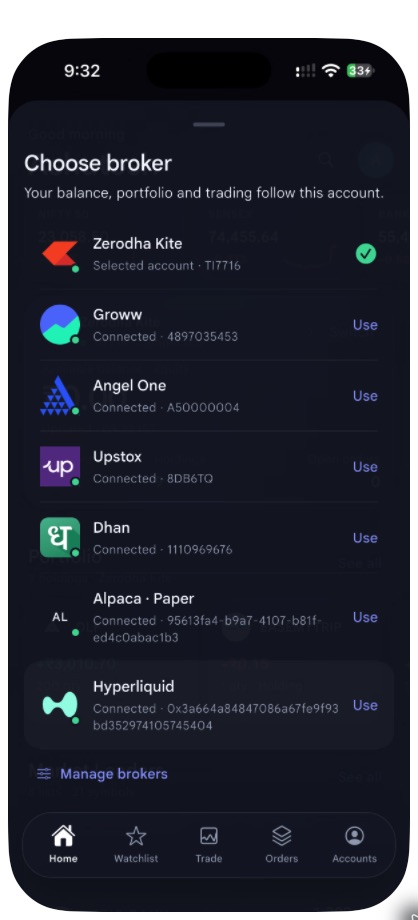
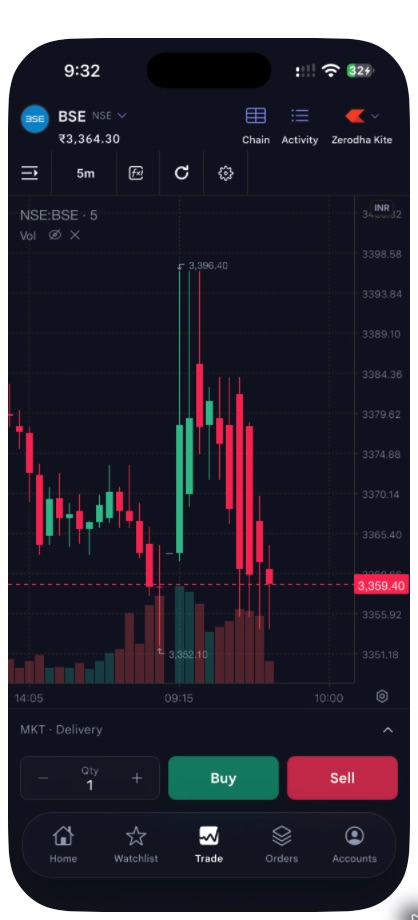
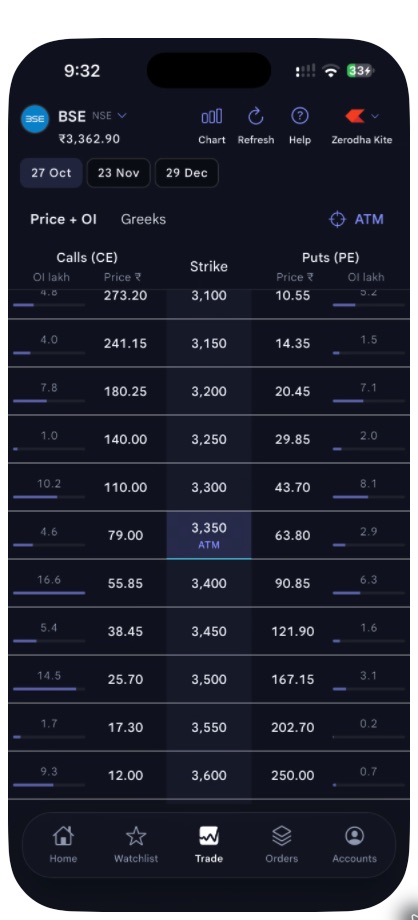
 AlpacaUS markets
 HyperliquidCrypto
 ZerodhaIndian markets
 Angel OneIndian markets
 GrowwIndian markets
 UpstoxIndian markets
 DhanIndian markets
 Motilal OswalIndian markets
YOUR GLOBAL WEB TERMINAL
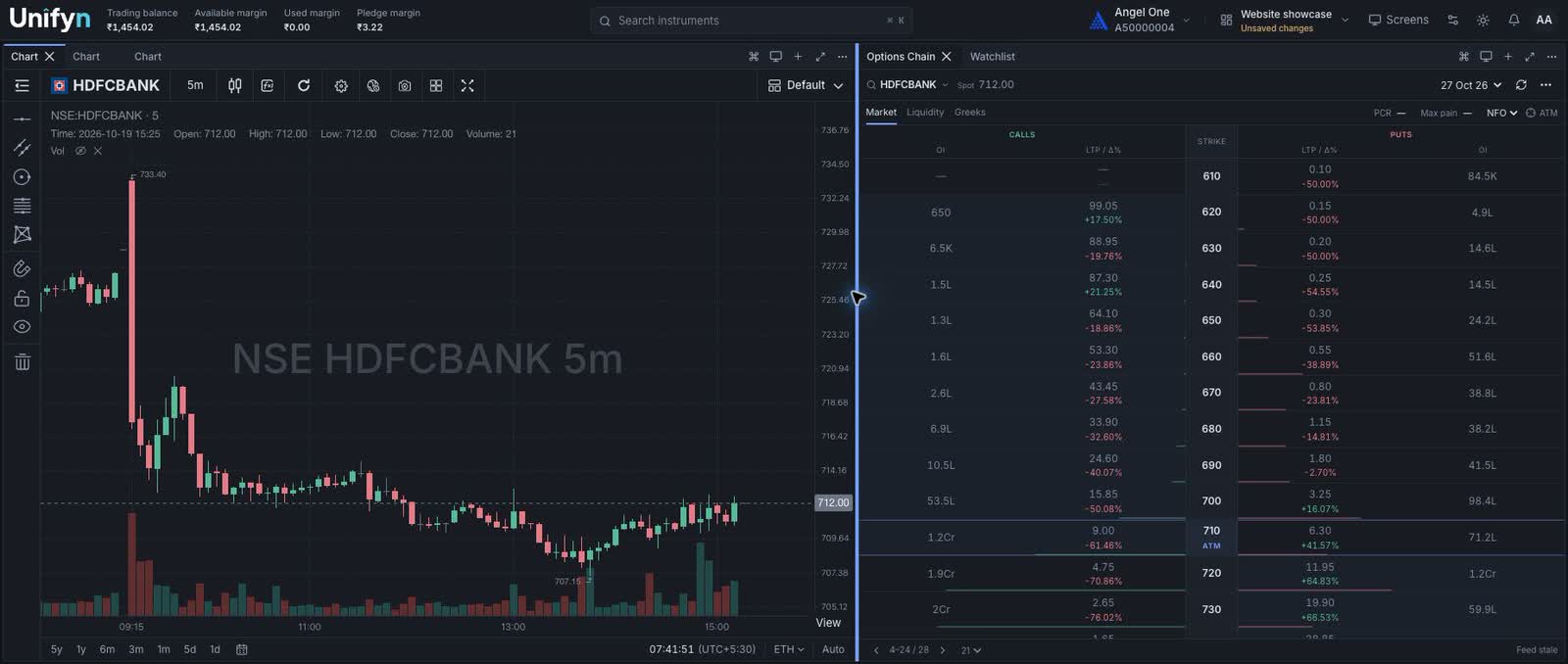
A personal Trading Desk for stocks, futures, options and crypto through eligible connections. Add the tools you need. Drag, dock and resize them around the way you think.
Open your terminal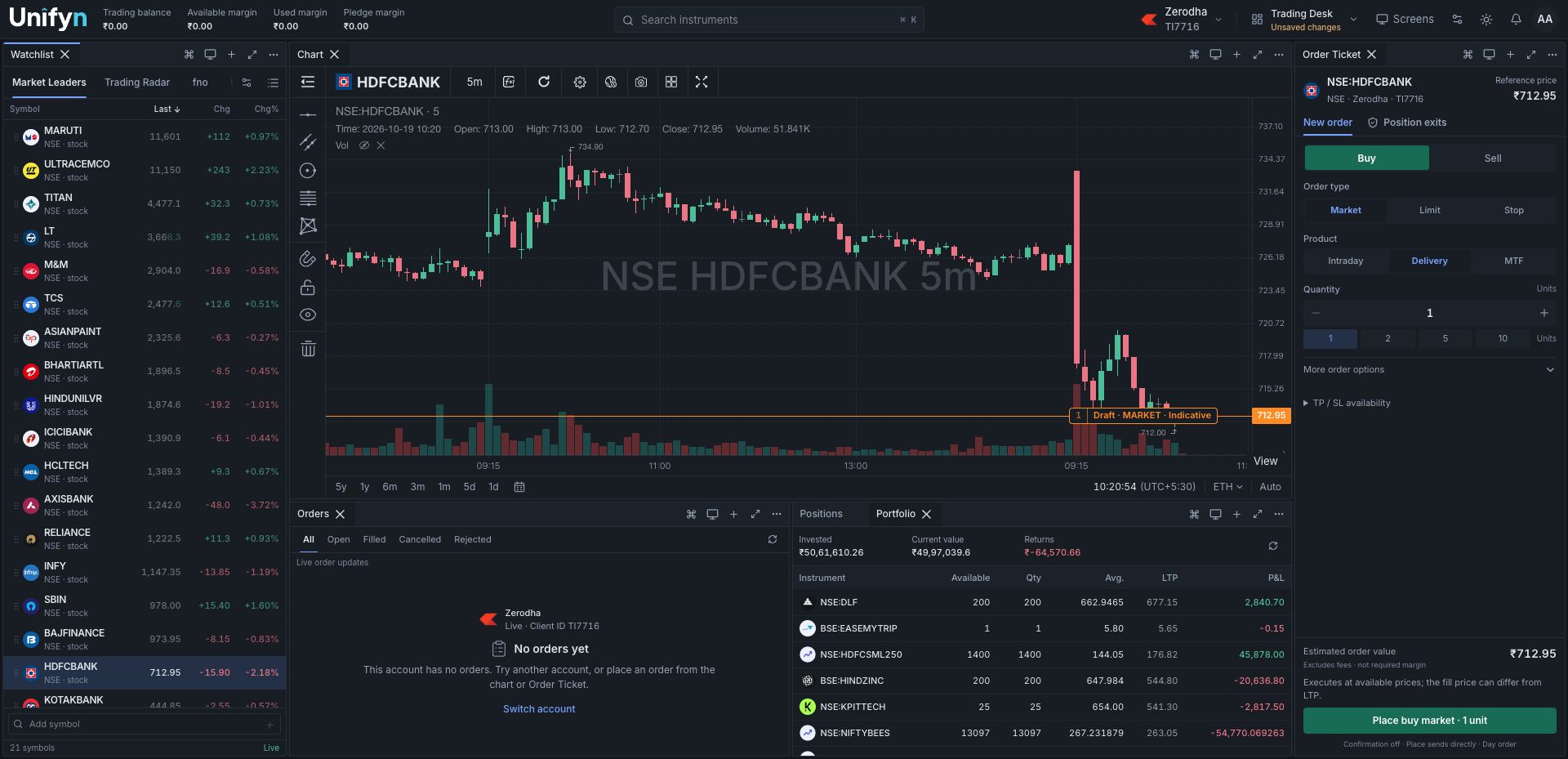
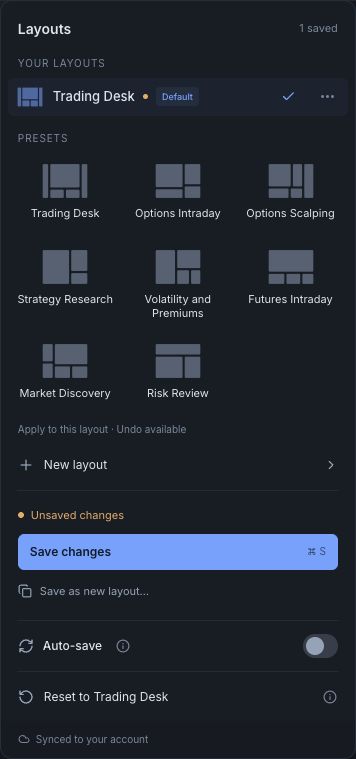
Choose from eight task-focused presets, then shape the desk around your process. From a focused chart to a broader market view, your arrangement belongs to you.
A GLOBAL PERSPECTIVE
Connect eligible accounts across supported regions. Research and trade the products your account and provider make available.
Follow US and Indian stocks and ETFs through eligible accounts. Build watchlists and keep investments in view.
Explore derivatives, compare expiries and bring the chain beside your chart.
Explore crypto through connections such as Hyperliquid, where supported for your region and account.
Availability depends on region, residency, account permissions, enabled integrations and provider approvals. Connecting an account does not move assets between countries.
Unifyn is a global trading workspace with a native mobile app and a customizable web terminal. Connect eligible accounts, research markets, prepare supported orders and track your portfolio in one familiar workspace. Native mobile and desktop tools cover stocks, futures, options and crypto where the account and integration support them.
Move, resize and group widgets, open multiple instances, link their symbol selections or pin a specific instrument. Choose from eight task layouts, create named layouts, set a personal default, and choose manual save or auto-save. Saved terminal arrangements are associated with your signed-in account.
Unifyn is built around one familiar app across markets and regions. You can connect eligible accounts where the integration is supported and enabled. Available connections depend on your region, residency, account permissions and provider approvals; this does not mean every provider or country is supported. Connecting an account does not move assets between countries.
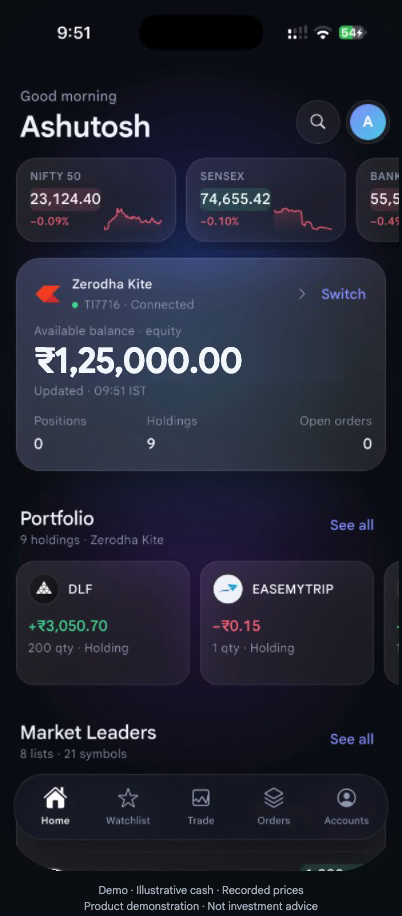
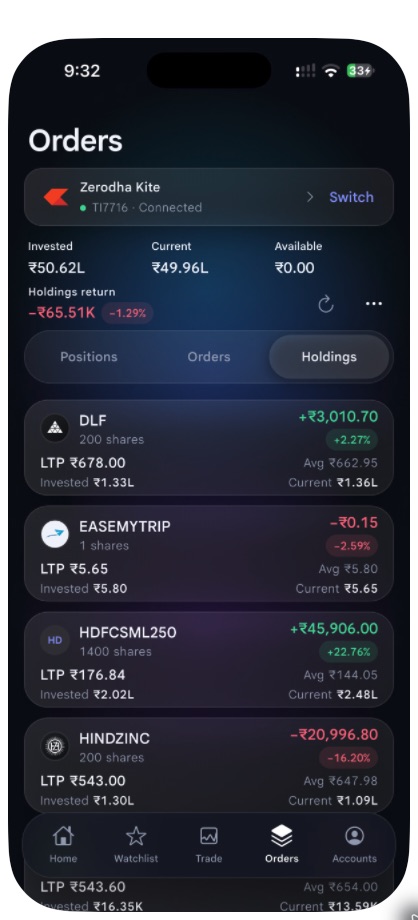
The native mobile app includes personal watchlists, instrument search, charting, option chains and supported holdings, positions and order views. It uses layouts and interactions designed for a phone. Mobile access is rolling out; features depend on the connected account and integration.
Broker and exchange connections, including Alpaca and Hyperliquid examples, and setup requirements are shown inside the product. Alpaca is shown in paper mode on this website; live availability requires the applicable approvals. You authorize the supported account you want to connect, switch accounts explicitly, and review, renew or remove sessions when needed. Availability depends on account eligibility, permissions, integration support and applicable approvals.
No. Your funds and securities remain with the broker that holds and services your account. Unifyn provides the technology interface and does not hold client assets or provide investment advice.
Live order access is available only where the integration is enabled and the account has the required permissions and approvals. Order types and actions vary by instrument and connection. An accepted submission is not an exchange fill. The product shows supported capabilities and order status.
No. The screenshots are actual product captures with recorded market prices, portfolio values and charts. They are not live or executable quotes, and displayed returns do not indicate future performance. The Home screen’s available cash is illustrative. Broker and issuer names and logos identify accounts and instruments; they do not imply affiliation or endorsement. Paper trading is simulation only.
Unifyn uses authenticated access, HTTPS and encryption at rest for stored connection credentials. Account and session controls remain in the product. Our privacy policy describes data handling, and the account deletion page explains how to request deletion.
Contact support@unifyn.ai for platform evaluation, integration enquiries and partnership requirements. Availability and activation depend on the agreed scope, provider approvals and account permissions. This website does not represent an approval or endorsement by a third party.